A public endpoint can be protected with firewalls, TLS, and identity controls, yet it is still a public endpoint. For teams handling regulated data, production databases, internal APIs, or high-value storage accounts, that exposure often becomes an architecture concern rather than a simple networking setting. This Azure Private Link guide explains how to bring supported Azure services into your virtual network through private IP addresses, and how to do it without creating a DNS problem that appears only after deployment.
What Azure Private Link Actually Changes
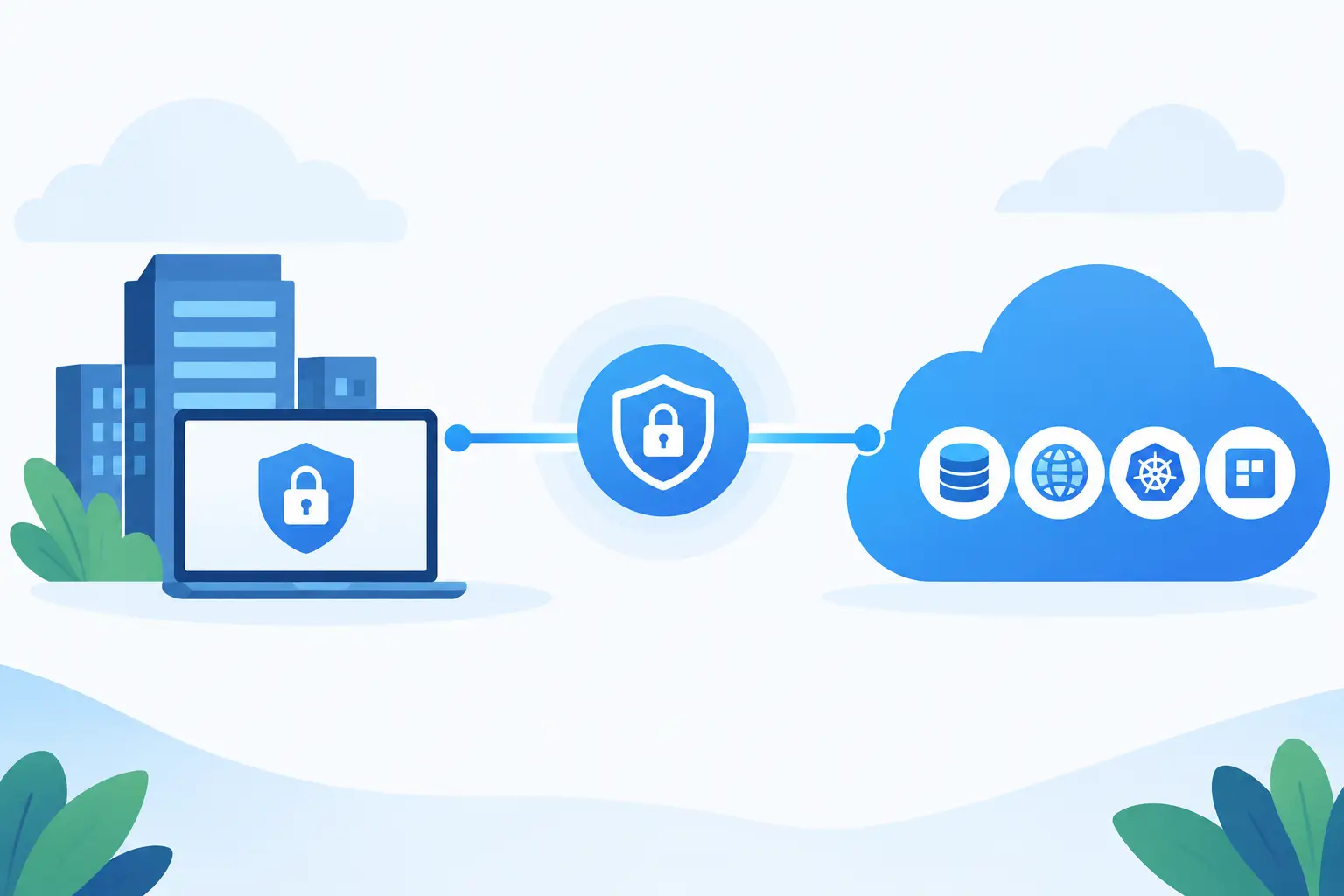
Azure Private Link is a connectivity model that lets a consumer access a supported Azure service through a private endpoint in a virtual network. A private endpoint is a network interface with a private IP address from your subnet. Applications connect to that IP as if the target service were another internal resource.
The workload does not need a public route to reach the service. Traffic stays on the Microsoft backbone after entering Azure, rather than traversing the public internet. This is especially valuable for services such as Azure Storage, Azure SQL Database, Azure Key Vault, Azure Container Registry, Azure App Configuration, and many partner or custom services.
Private Link does not replace authorization. A private endpoint controls the network path, while Microsoft Entra ID, access keys, managed identities, roles, and service-specific permissions control who can perform an action. Strong designs use both layers. A developer with valid credentials should still be unable to reach a production vault from an unapproved network.
The terminology matters because Azure uses several similar terms. Azure Private Link is the overall platform capability. A private endpoint is the consumer-side network interface created in your VNet. A Private Link Service is for providers that want to expose their own service privately behind a standard load balancer. Most teams consuming Azure PaaS services will create private endpoints, not Private Link Services.

Azure Private Link Guide: When It Is the Right Choice
Private Link is a strong fit when a service should have no public network exposure, when traffic must remain private for compliance or risk reasons, or when you need private connectivity from peered VNets, VPN-connected networks, or ExpressRoute-connected on-premises environments.
Consider a web application running in a production subnet that reads secrets from Key Vault and writes documents to Blob Storage. With private endpoints, the application resolves each service hostname to a private address. You can then disable public network access on the vault and storage account. The application continues to use familiar SDKs and service URLs, but the underlying network path is private.
It is not always the simplest or cheapest choice. A small development environment with limited risk may be adequately served by public access restricted to selected networks. Private endpoints also add cost, consume subnet IP addresses, require DNS administration, and can complicate shared-network ownership. The question is not whether private connectivity is inherently better. It is whether the added control solves a real security or architecture requirement.
Private Link is also different from service endpoints. Service endpoints extend a VNet identity to certain Azure services, allowing the service firewall to accept traffic from that VNet. The service still uses its public endpoint, even though traffic is optimized across the Azure network. Private Link assigns a private IP and can support disabling public access entirely. Service endpoints can be easier for established configurations, but Private Link offers stronger isolation and more consistent private-name resolution.
Plan DNS Before Creating the Endpoint
DNS is the implementation detail most likely to turn a correct private endpoint into a failed deployment. Your application normally connects to a standard service hostname, such as a vault, database server, or storage account. After a private endpoint is created, that hostname must ultimately resolve to the endpoint’s private IP address from every network that needs private access.
Azure commonly uses a public service name that redirects through a `privatelink` DNS zone. For example, a storage blob endpoint may require records in a zone resembling `privatelink.blob.core.windows.net`. The application still uses its normal storage hostname. It should not be rewritten to a special private hostname in code or configuration unless the service documentation explicitly requires it.
For an Azure-only environment, create the appropriate private DNS zone and link it to the VNet containing the workloads. When using a hub-and-spoke topology, teams often centralize private DNS zones in the hub and link them to each spoke VNet. That reduces duplicate zones and makes endpoint records available consistently across application networks.
Hybrid DNS needs additional planning. An on-premises resolver must be able to resolve private-link names through Azure-aware DNS infrastructure, typically using a DNS forwarder or Azure DNS Private Resolver. Without this path, an on-premises client may resolve the normal Azure hostname to its public address and fail once public access is disabled.
Before calling the work complete, test name resolution from the actual client environment. Check the returned IP address, then test the intended service operation. A successful endpoint deployment in the Azure portal does not prove that a container, virtual machine, build agent, or on-premises server is resolving the correct record.
A Practical Deployment Sequence
Start by identifying the service subresource you need. This is easy to miss with multi-service products. An Azure Storage account has separate targets for blob, file, queue, table, web, and Data Lake Storage Gen2 access. Creating only a blob private endpoint will not privately connect an application that uses Azure Files.
Next, choose the VNet and subnet where the private endpoint will reside. The endpoint can sit in a dedicated subnet or an application subnet, subject to your network standards and capacity planning. Keep enough available IP addresses for future endpoints. A large platform environment can accumulate endpoints quickly when each service, region, and subresource requires its own address.
Create the private endpoint, select the target resource and subresource, and approve the connection. Approval may be automatic when the same tenant and permissions apply, or manual when the service is owned by another team or provider. Treat manual approval as a change-control point, not a deployment failure.
Then associate the endpoint with the matching private DNS zone and link that zone to client VNets. Finally, validate connectivity using the application identity and realistic network path. A basic TCP test can prove routing, but an SDK call or authenticated command is better because it validates DNS, network access, TLS, and authorization together.
Infrastructure as code is particularly useful here. A Bicep, Terraform, or Azure Resource Manager deployment can define the private endpoint, DNS zone group, VNet links, and policy settings as a single reviewed change. It also prevents a common drift pattern: an endpoint exists, but its DNS integration was created manually and disappears or differs between environments.
Design for Scale, Not One Endpoint
Private endpoints are local network objects, but their operational impact is shared. Establish ownership early. The application team may own the target service, the platform team may own VNets and DNS, and the security team may set the rule that public network access must be disabled. A clear workflow avoids stalled releases caused by an endpoint waiting for DNS or approval.
Use naming and tagging that identify the consuming application, environment, target service, and subresource. This makes it easier to investigate unexpected connections and allocate endpoint costs. It also helps teams distinguish a production Key Vault endpoint from a similarly named test endpoint.
Be careful with network security assumptions. Private endpoints are not governed by network security groups in the same way as ordinary VM interfaces, and source IP behavior can differ by service. Apply controls at the workload subnet, use Azure Firewall or network virtual appliances where inspection is required, and rely on service-level authentication and authorization. Test the enforcement point you intend to use rather than assuming an NSG rule blocks every private endpoint scenario.
For cross-region designs, place endpoints close to the clients that use them when practical. Private Link supports access across regions for many services, but latency, resiliency, and failover behavior still matter. If a service fails over, confirm how private DNS records, endpoint connections, and client retry behavior will respond. A private path does not eliminate the need for application-level resilience.
Common Failures and How to Diagnose Them
The most common failure is a DNS mismatch. The private endpoint shows as approved, but the client resolves the service hostname to a public IP. Check the private DNS zone name, the A record, VNet links, custom DNS forwarding, and whether the client is using an unexpected resolver.
Another frequent issue is disabling public access too early. If DNS is not ready across every required network, deployment agents, administrators, or dependent workloads can lose access immediately. Roll out in stages: create the endpoint, validate private resolution and authenticated access, then restrict or disable public connectivity.
A third issue is selecting the wrong subresource. Storage is the classic example, but other services can expose separate private targets for management, data, or deployment paths. Read the service’s endpoint requirements before deciding a single private endpoint covers every call.
Finally, do not confuse an approved connection with a permitted action. If connectivity works but requests return authorization errors, inspect the managed identity, role assignment, access policy, firewall settings, and service-specific permission model. Network isolation and identity failures need different fixes.
Private connectivity becomes most valuable when it is treated as a repeatable platform pattern, not a one-off security exception. Build the DNS, ownership, policy, and validation process once, then let product teams consume it with confidence as their Azure footprint grows.